Free Unlimited AI Image Generator (No Login) to Create Anime Characters
Creating high-quality anime characters no longer requires artistic skills or paid software. With Vheer’s free unlimited AI image generator, anyone can instantly generate stunning anime-style images without login, sign-up, or watermark.
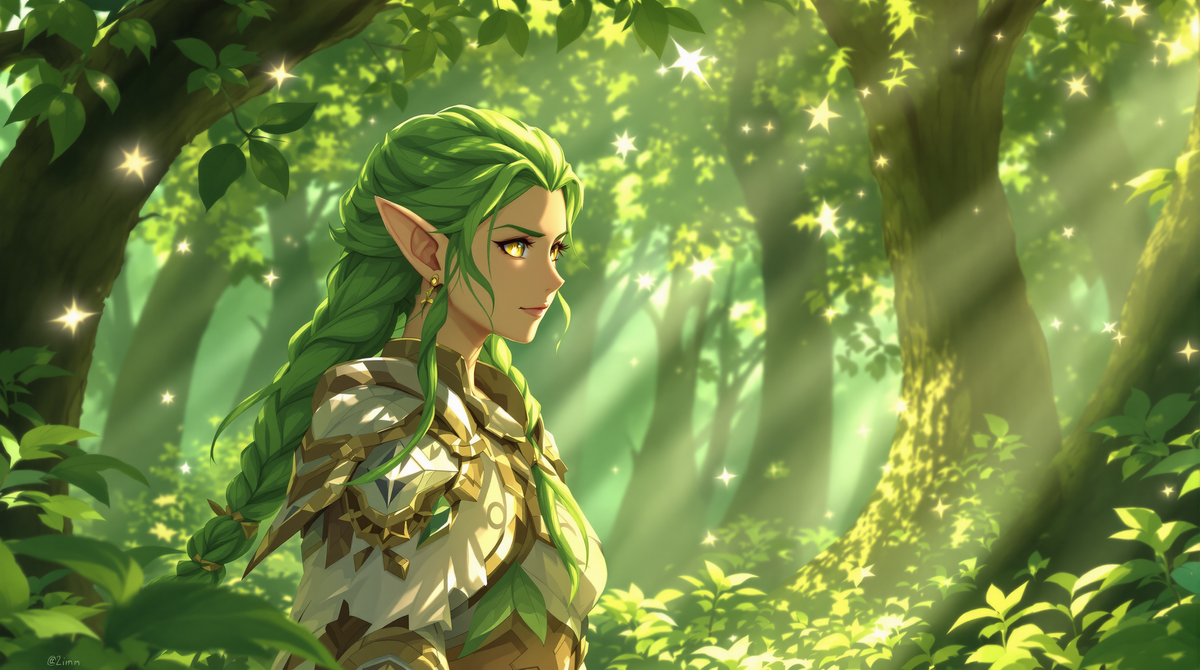
Introduction
Creating anime characters has never been easier, thanks to modern AI image generators. Whether you are a content creator, gamer, or social media enthusiast, designing your own anime avatars can be fun and rewarding—but it can also be time-consuming and require advanced artistic skills. Traditional tools demand expertise, expensive software, and hours of trial and error.
This is where the free unlimited AI image generator comes in. With no login or sign-up required, you can instantly generate high-quality anime characters online. It’s fast, user-friendly, and completely free, allowing you to experiment with styles, poses, and expressions without worrying about limitations.
In this article, we will walk you through a simple workflow of creating anime character images using a free ai image generation. By using this tool, anyone can create stunning anime images for social media, avatars, NFTs, or personal projects.
What is an Anime Character Generator and Why It’s Popular?
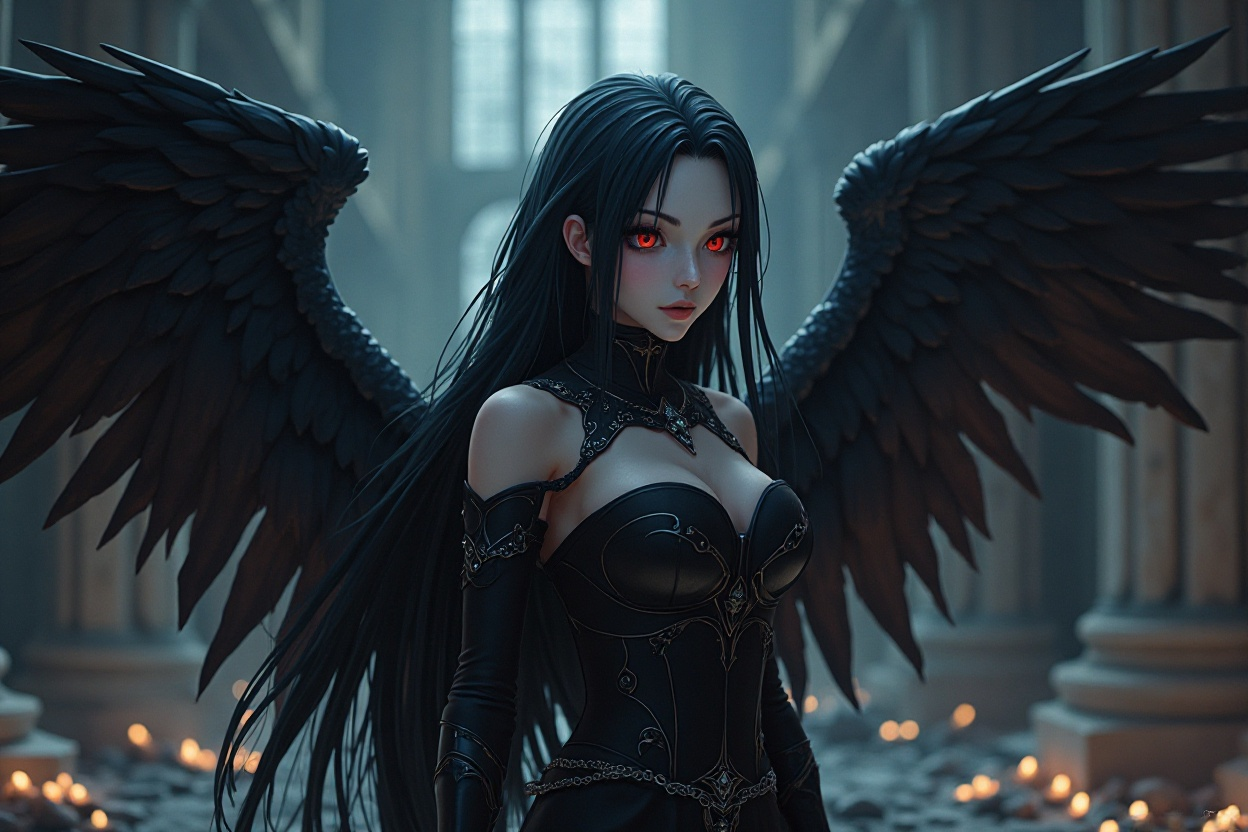
Overview of Anime Character Generator
An anime character generator is an AI-powered tool designed to create custom anime-style characters automatically. By entering descriptive prompts or selecting templates, users can produce detailed, vibrant characters with unique hairstyles, outfits, expressions, and accessories.
Popularity and Use Cases
Anime character generators are widely popular among social media users, gamers, and artists. They are often used to create profile avatars, game characters, NFTs, posters, and promotional materials. The ease of generating diverse anime characters instantly has contributed to their popularity across online communities.
Challenges of Creating Anime Characters Manually
Before AI tools, creating anime characters required extensive drawing skills, specialized software, and a lot of time. Artists had to carefully design proportions, shading, color palettes, and poses manually, which could be a lengthy and expensive process. These challenges made it difficult for casual creators to produce high-quality anime content.
Why Use Vheer AI to Generate Anime Characters
Vheer offers a free ai image generator for anime character creation. Its basic text to image tool is completely free and requires no login, allowing instant access without registration hassles. The tool supports multiple styles and prompt customization. From realistic anime to chibi or fantasy designs, you can easily generate any kind of anime characters without any skills and cost.
How the Free AI Image Generator Works
Vheer AI’s generator is free, unlimited, and online, requiring no login or registration. It allows instant creation of anime characters, supports various styles, aspect ratios, and high-resolution downloads.
Step-by-Step Usage Guide
Step 1: Open Vheer's Free AI Image Generator
Go to the Vheer's Text to Image Generator page. No account, no login, and no registration are required. You can start generating anime characters instantly.
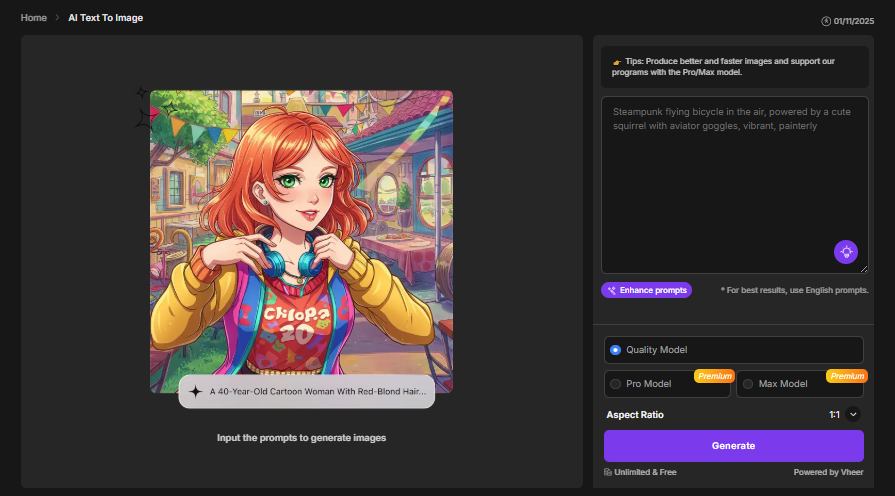
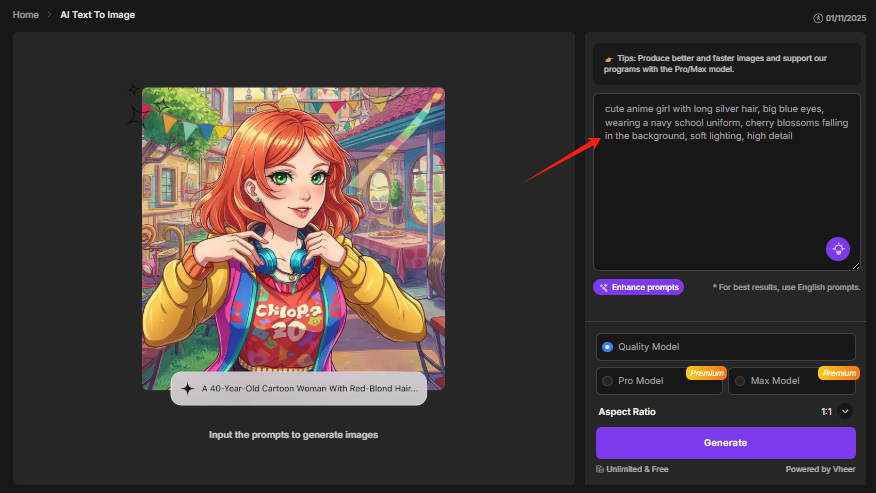
Step 2: Write a Detailed Anime-style Prompt
In the text box, describe your anime character clearly. Include elements such as hairstyle, hair color, emotion, clothing, background, and style type (e.g., classic anime, cyberpunk, chibi, fantasy).
Example:
“cute anime girl with long silver hair, big blue eyes, wearing a navy school uniform, cherry blossoms falling in the background, soft lighting, high detail”
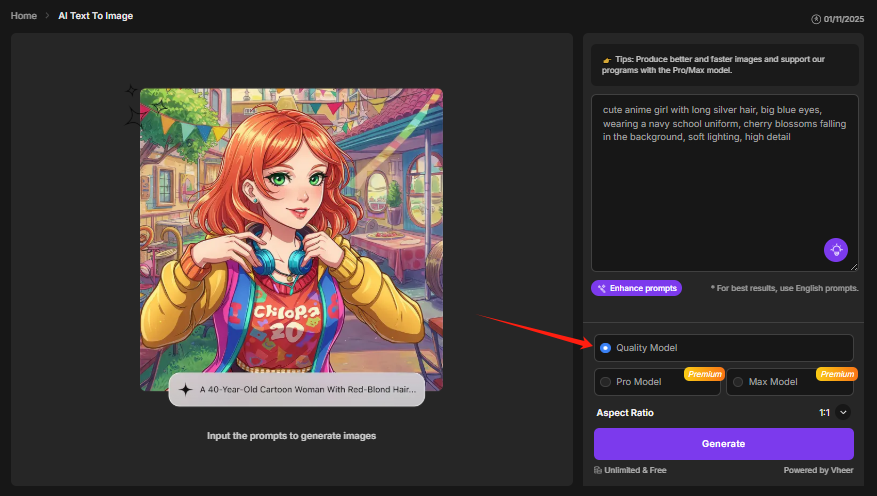
Step 3 — Choose the quality model
Vheer offers multiple models for image generation: Quality (free), Pro (paid), and Max (paid). To create free anime images, keep the Quality option selected.
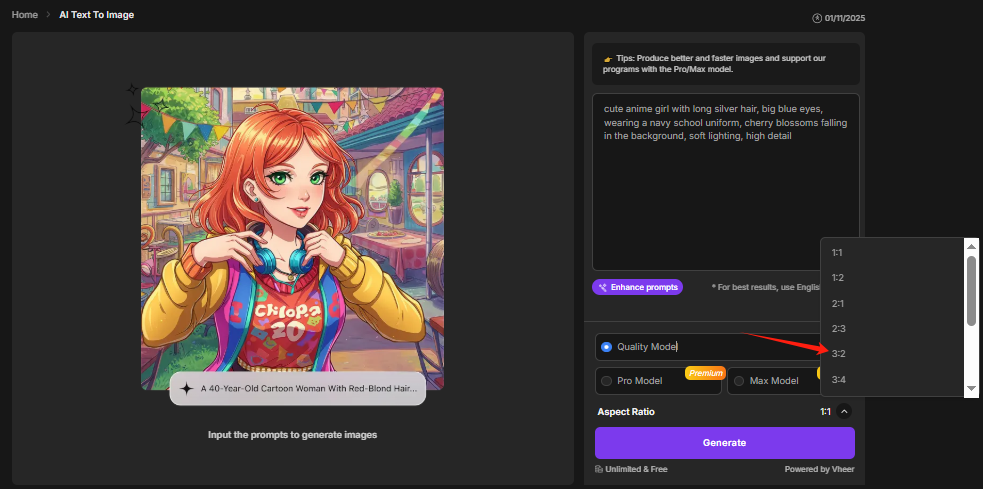
Step 4: Select the aspect ratio for your final use
Pick the ratio that fits your goal: 1:1 for avatars, 9:16 for social media stories/reels, or 16:9 for wallpapers and video thumbnails. The right ratio helps the AI frame the character correctly.
Step 5: Generate Anime Character Images
Click Generate. The AI will produce the image within seconds. There are no generation limits and no watermark.

Step 6: Regenerate, refine, and download
If you want changes, edit the prompt or swap style keywords (e.g., dark fantasy, futuristic, 3D anime look) and generate again — unlimited retries are free. When satisfied, download the high-resolution image (no ads, no watermark, no size restrictions).
Examples of Anime Characters Generated by AI
Example 1
- Prompt Used: “A cheerful anime girl with pink hair in twin tails, wearing a school uniform, standing under cherry blossom trees.”
- Aspect Ratio: 16:9
- Generated Image:

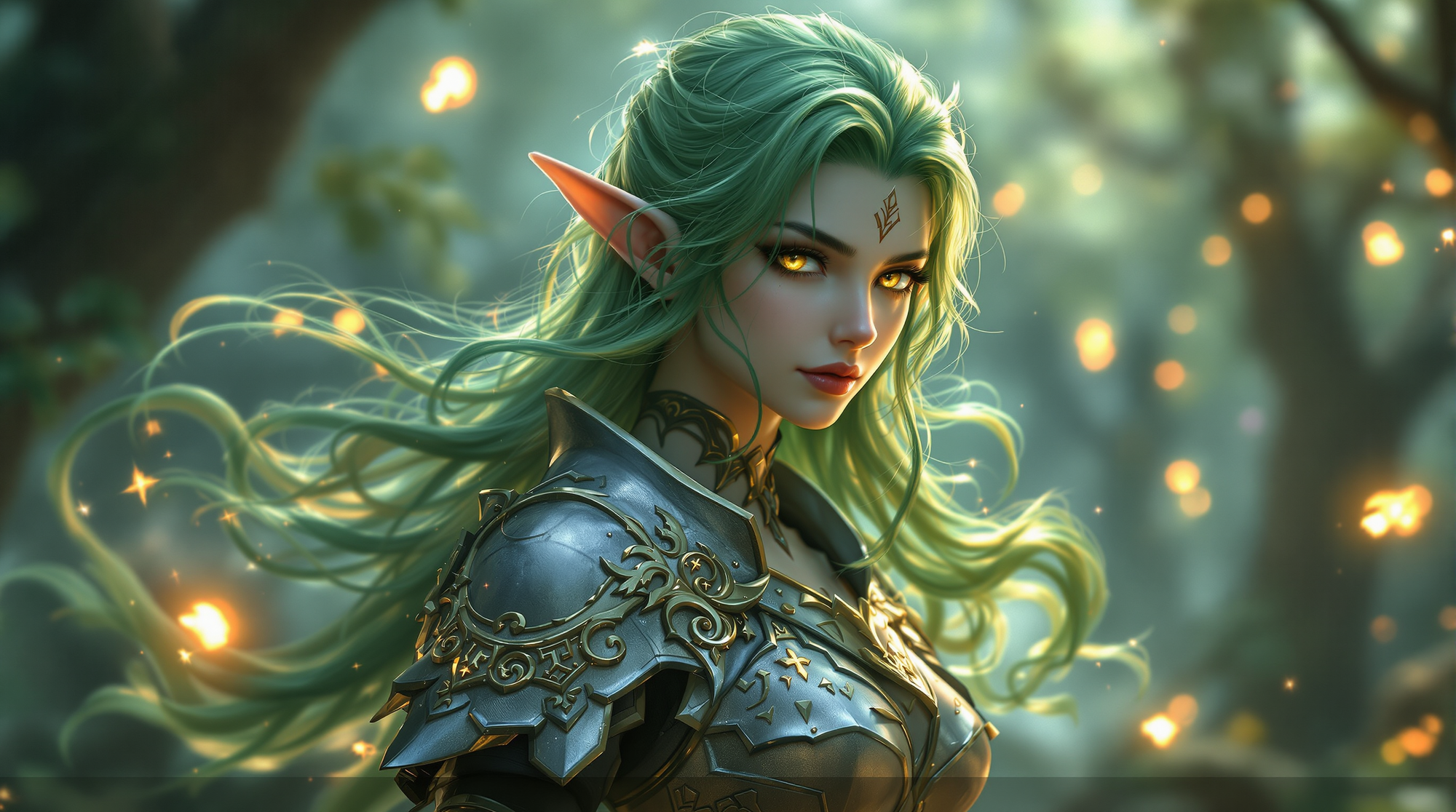
Example 2
- Prompt Used: “ultra-detailed fantasy anime female elf warrior, emerald green wavy hair flowing in the wind, glowing golden eyes, elegant pointed ears, wearing ancient silver leaf armor with magical runes, standing in enchanted forest with floating lights and mist, dynamic cinematic lighting, highly detailed skin texture, ethereal atmosphere, concept art for AAA fantasy game, 8K resolution, masterpiece, ultra realistic anime artwork”
- Aspect Ratio: 16:9
- Generated Image:
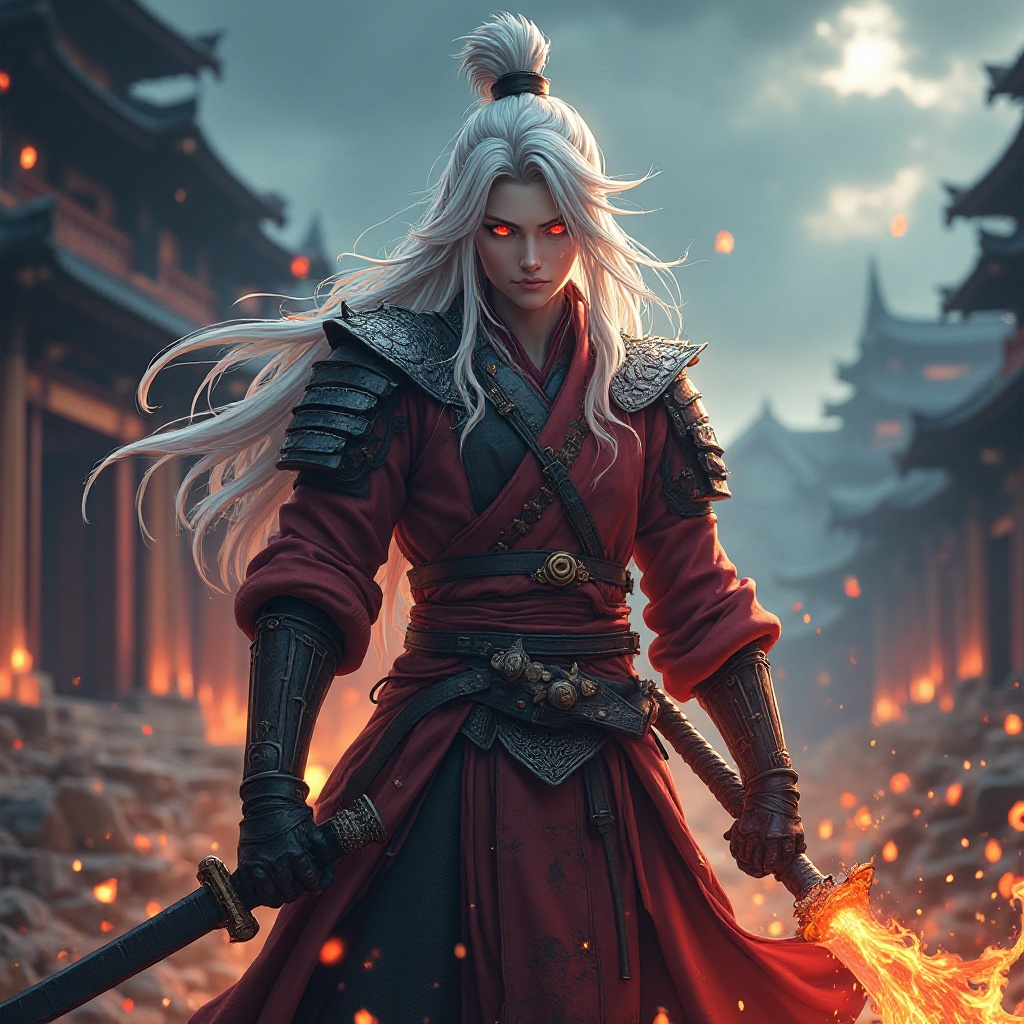
Example 3
- Prompt Used: “fantasy anime samurai with long white hair and dragon-scale armor, fiery red eyes, holding a katana infused with flames, background of ancient temple ruins under stormy sky, embers flying, intense expression, dramatic shadows, ultra high detail, realistic fabric and metal textures, epic atmosphere, anime cinematic concept art, perfect for action RPG game, 8K, masterpiece”
- Aspect Ratio: 1:1
- Generated Image:
Tips & Tricks for Maximizing Creativity
Write clear and descriptive prompts
Specify core visual elements such as hairstyle, clothing, facial expression, pose, and mood. Adding context (e.g., environment, atmosphere, lighting) helps the AI better interpret your vision.
Include specific style directions
Use keywords like realistic anime, chibi, dark fantasy, cyberpunk, Ghibli-style, 3D anime, ultra detailed to guide the art direction. Combine multiple styles to create unique hybrid character concepts.
FAQ
Q1: Do I need to sign up to use this AI image generator?
No. You can use the Quality (Free) model instantly without any account, login, or registration. Just open the tool and start generating anime images right away.
Q2: Is it really free and unlimited?
Yes. As long as you generate images with the Quality model, you can create unlimited anime characters completely for free, with no watermark, no limits, and no login required. Pro and Max models are optional for enhanced output.
Q3: Can I use the images commercially?
Yes. Images generated using the free Quality model can be used for both personal and commercial purposes. However, we still recommend reviewing usage guidelines if you plan to use AI-generated content in large-scale or branded productions.
Q4: What types of anime characters can I create?
You can generate any style you like, including classic anime, fantasy, chibi, cyberpunk, realistic anime, or even hybrid concepts. Just adjust your prompt to describe the desired look.
Q5: Does it work on mobile and desktop?
Yes. The generator is fully web-based and works smoothly on desktop, laptop, tablet, and mobile devices, with no installation or system requirements.
Conclusion
With this ai image generator free no signup, creating anime characters has never been easier. No login, no sign-up, and instant results make it accessible for everyone. Start generating your own anime avatars now and bring your creative ideas to life. Share them on social media, use them in games, or turn them into unique digital collectibles.